


I’m thrilled to officially announce Sniffnet v1.5!
This release includes a major new feature that users have been requesting for a long time:
support identifying the applications and programs that are using network bandwidth!
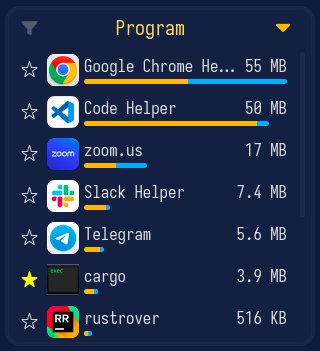
This is a huge step forward for Sniffnet, allowing you to spot suspicious executables running in the background and to keep an eye on the traffic of the applications you use the most.
As you can see in the video below, Sniffnet now shows all programs actively using the network, and for each it’s possible to inspect the list of open network connections.
Each program can also be saved as favorite to be easily identified in the future and to get notifications whenever it generates network traffic.
You’ve probably already read about the challenges I faced while implementing this feature in the previous blog post, so I’m genuinely excited to finally share that this is now available for everyone to use on Windows, Linux, macOS, and even BSD-based operating systems.
But there is more!
In addition to program identification, Sniffnet v1.5 also lets you import custom IP blacklists
to get notified about potentially malicious connections.
You can feed Sniffnet any list of suspicious addresses
— whether it’s a public threat intelligence feed or a personal denylist —
and the app will notify you in real time, helping you spot
unwanted traffic before it becomes a problem.
Moreover, the initial page of the app now shows traffic previews for all the network adapters on your machine, allowing you to quickly identify active interfaces and to get an overview of their traffic without having to start a monitoring session for each of them individually.
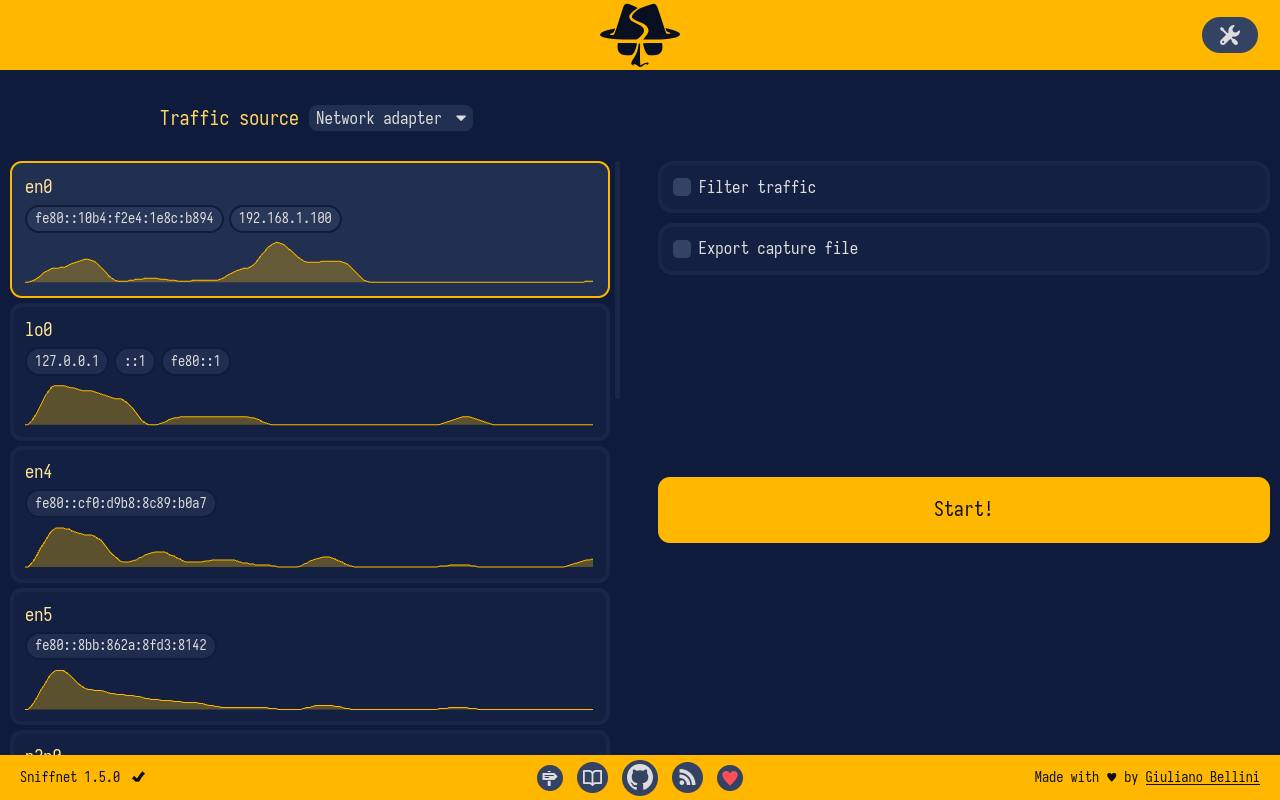
These are just some of the most relevant changes introduced in this release.
For more details, you can check the release page on GitHub.